
 ¡VAMOS ESPAÑA!

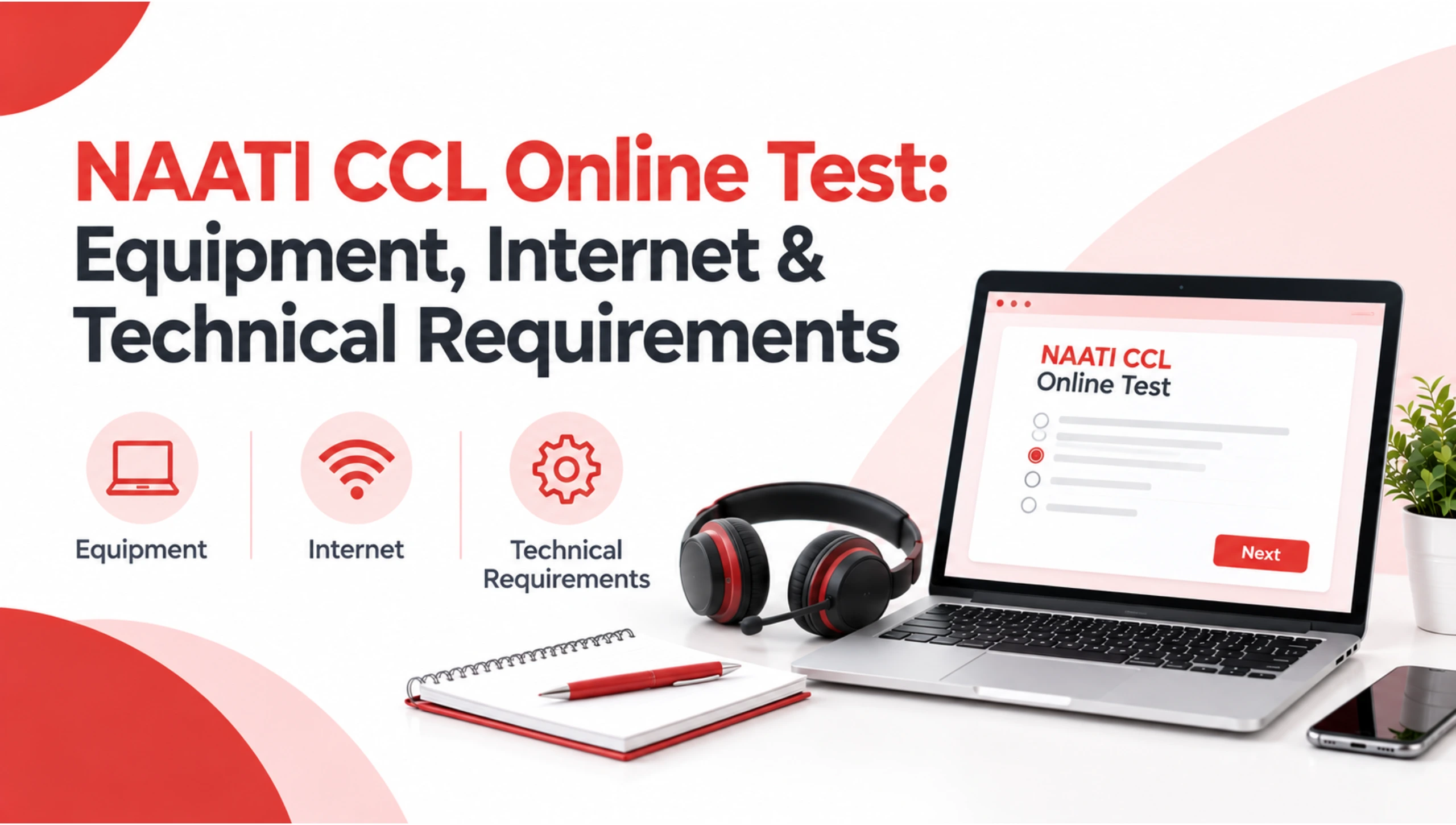
The NAATI CCL online test assesses your ability to interpret short conversations between English and your chosen Language Other Than English (LOTE). Because the test is conducted online, preparing your interpreting skills is only one part of your test-day preparation.
Your computer, camera, microphone, speakers, second device, internet connection and testing environment must also meet NAATI requirements. You are responsible for ensuring that your equipment and internet connection are suitable for the test, and technical problems caused by unsuitable equipment or connectivity can affect whether your test can proceed.
If you are preparing from Australia or overseas, complete your technical preparation well before test day rather than discovering a problem when your test session begins.
This guide explains the current NAATI CCL online test technical requirements, including equipment, internet speed, browser setup, ProctorExam, the second device, headphones, room setup and the pre-test system check.
Note: NAATI requirements can change. Always check the latest official NAATI candidate instructions and your test confirmation emails before your test.
Quick Answer: What Equipment Do I Need for the NAATI CCL Online Test?
For the current NAATI CCL online test, you need a personal laptop or computer with a working camera, microphone, and speakers, a power connection, and the latest version of Google Chrome. You also need a second device, such as a compatible phone or tablet, with a working camera for the ProctorExam setup. NAATI currently requires at least 10 Mbps download speed, 1.5 Mbps upload speed, and 25 ms or less latency. Headphones, headsets and earphones are not permitted.
Is the NAATI CCL Test Online?
Yes. The current NAATI CCL test is delivered online with remote proctoring.
Candidates complete the test using their computer or laptop while a second device, such as a phone or tablet, is used as part of the remote testing setup. NAATI current instructions use ProctorExam for the online system check and test administration.
This means your preparation should cover two areas:
- Test preparation: interpreting, vocabulary, listening, and accuracy
- ning, and accuracy
- Technical preparation: computer, internet, camera, microphone, speakers, and testing environment
You can also review the NAATI CCL exam format guide on CCLHub to understand the structure of the test before preparing your technical setup.
NAATI CCL Online Test Equipment Requirements
Here is a practical overview of the current requirements.
| Equipment | Current Requirement |
|---|---|
| Computer/laptop | Personal laptop or computer |
| Camera | Working camera |
| Microphone | Working built-in or suitable microphone |
| Speakers | Working speakers |
| Headphones | Not permitted |
| Power | Power cord/connection recommended throughout |
| Browser | Latest version of Google Chrome |
| Second device | Phone or tablet with working camera |
| Internet | Minimum 10 Mbps download and 1.5 Mbps upload |
| Latency | 25 ms or less |
| Testing location | Private location without other people |
NAATI also states that candidates should use a personal device. Work, university, or library computers can encounter access problems because of restrictions or firewalls.
Computer or Laptop Requirements
Your primary device is the computer or laptop you use to complete the test.
NAATI currently states that there is no minimum operating-system requirement, provided the latest version of Google Chrome can be installed and run. The latest Google Chrome browser is required.
Before test day, check that:
- your computer starts normally
- Google Chrome is updated
- the camera works
- the microphone works
- the speakers work
- the computer can maintain a stable internet connection
- the power connection is available
- required ProctorExam software or extensions can be installed
- unnecessary browser extensions are disabled
NAATI specifically states that ad-blocking Chrome extensions must be disabled or removed during the test because they can interfere with the testing platform.
Should you use a work or university computer?
It is better to avoid relying on a work, university, or library computer.
NAATI specifically advises candidates to use a personal device because institutional devices may have firewalls or restrictions that prevent access to the testing platform.
Camera Requirements
A working camera is required for the online testing process.
Your camera is used as part of the remote proctoring and test-environment checks. NAATI requires your face to remain clearly visible during the test, and virtual backgrounds are not permitted.
Before the test:
- Clean the camera lens.
- Position your computer comfortably.
- Make sure your face is clearly visible.
- Avoid strong light directly behind you.
- Check that the camera works in Google Chrome.
- Complete the official system check using the same setup you plan to use on test day.
Microphone and Speaker Requirements
Your computer needs a working microphone and speakers.
This is particularly important because the CCL test involves listening to recorded dialogue segments and interpreting them into the other language.
Your setup should allow you to:
- hear the dialogue clearly
- speak naturally
- record your responses clearly
- avoid excessive background noise
- communicate with the testing system when required
NAATI current CCL instructions specify built-in microphone and speakers and state that headsets, headphones and earphones are not permitted.
Can You Use Headphones for the NAATI CCL Test?
No.
This is one of the most important current technical requirements to remember.
NAATI states that headsets, headphones and earphones are not allowed during the CCL test, including wired, wireless and Bluetooth options. Candidates should use their computer or laptop’s built-in speakers and microphone instead.
This is particularly important because some older online CCL information still recommends headphones. NAATI changed this requirement, so candidates should follow the current official instructions, not older preparation articles.
CCLHub older technical-requirements article also contains historical information about equipment that should not be used as the current technical standard.
Internet Requirements for the NAATI CCL Online Test
A reliable internet connection is essential.
According to NAATI current requirements, candidates need:
- Minimum download speed: 10 Mbps
- Minimum upload speed: 1.5 Mbps
- Latency/ping: 25 milliseconds or less
- Retransmission: as low as possible
A fast connection alone is not enough. The connection should also remain stable throughout the test.
Before test day
Run an internet speed test using the same connection you plan to use during your test.
Check:
- download speed
- upload speed
- ping/latency
- connection stability
NAATI provides a link to Measurement Lab’s internet speed test for candidates to check their connection.
Can You Use Public Wi-Fi?
NAATI advises candidates not to use public internet connections for the test.
Examples include:
- library Wi-Fi
- university internet
- workplace networks
- other networks that use firewalls or access restrictions
These networks can prevent the testing platform from working correctly.
For your test, use a reliable private connection that you have tested beforehand.
Do You Need a Second Device?
Yes.
The current NAATI CCL online setup requires a second device, such as a phone or tablet with a working camera, in addition to your primary computer or laptop.
The second device forms part of the ProctorExam setup and provides an additional view of your testing environment.
NAATI instructions explain that this device should be positioned so that the testing environment and your note-taking can be viewed.
Compatible second devices
NAATI currently specifies:
- Android 8 or later, or
- iOS 15.8 or later
You will be prompted to install the ProctorExam app during the system check.
What Is the ProctorExam System Check?
The system check is an important part of preparing for your online CCL test.
NAATI states that approximately one week before your test, you should receive an email from ProctorExam containing instructions for setting up your test.
The system check must be completed at least 48 hours before your test.
Importantly, you should complete the check using the same setup you intend to use on test day, including:
- same computer
- same phone/tablet
- same location
- same internet connection
This helps identify compatibility problems before your actual test session.
What Should You Check During the System Check?
Do not treat the system check as something to complete quickly just to receive your test link.
Use it as an opportunity to confirm that your complete setup works.
Check:
Computer
- Google Chrome
- camera
- microphone
- speakers
- required extension
Second device
- camera
- ProctorExam app
- connection
- suitable positioning
Internet
- download speed
- upload speed
- latency
- stability
Environment
- camera visibility
- desk arrangement
- room setup
- lighting
NAATI states that the actual test link is provided through ProctorExam after the system check has been completed.
What Should Your NAATI CCL Test Room Look Like?
Your test environment matters just as much as your equipment.
NAATI requires candidates to complete the test in a location that is free from other people and unnecessary distractions. Your face must remain clearly visible, and the desk must be clear of unauthorised items.
Before your test:
- choose a quiet private room
- remove unnecessary items from the desk
- make sure nobody else is in the room
- avoid background noise
- position your computer correctly
- arrange your second device as instructed
- check your lighting
- Switch your phone to the required testing setup
- Turn off other electronic devices
The goal is to create the same environment you used during your system check.
Can You Use Another Screen or Device During the Test?
No.
NAATI current candidate instructions state that devices other than those being used for the test must be turned off and positioned in a different room. Only one screen is allowed at a time.
This means candidates should not keep:
- an additional monitor
- another laptop
- a smartwatch
- another phone
- a tablet not being used for the test
within the testing environment unless it is specifically part of the approved testing setup.
Do not use electronic resources, dictionaries, web browsing, or live caption/transcription features during the test.
What Can You Use for Note-Taking?
NAATI current instructions allow candidates to take notes using:
- a pen
- loose sheets of paper
However, typing notes is not permitted, and candidates cannot bring existing notes into the test.
This is something worth practising before test day.
If you normally practise with digital notes, switch to paper during your preparation so your practice reflects the actual testing conditions.
You can combine your technical preparation with a realistic Free NAATI Mock Test to practise listening, note-taking and interpreting under test-like conditions.
What ID Do You Need?
You need acceptable identification for the online test.
NAATI current instructions state that it accepts:
- current passports from any country, or
- Australian or New Zealand-issued identification documents such as driver licences or proof-of-age cards.
Your identity must be confirmed before the test can proceed.
If you have questions about whether your identification is acceptable, contact NAATI before test day rather than waiting until the session begins.
What Time Should You Prepare for the Test?
NAATI test times are given in Australian Eastern Time (AET).
This is particularly important if you are taking the test from another country.
For example, candidates preparing from Nepal, India, Bangladesh, or other countries should convert the scheduled AET time to their local time and make sure they understand the exact test session.
You can also use the Countries resource for information relevant to taking the NAATI CCL test from your home country.
However, always treat your NAATI booking and confirmation information as the authoritative source for your actual test session.
Can You Take the NAATI CCL Test From Overseas?
Yes, the online format allows candidates to sit the test from overseas, provided they meet NAATI requirements.
The important point is that being overseas does not remove the technical requirements.
You still need:
- suitable personal equipment
- reliable internet
- appropriate testing environment
- required second device
- acceptable identification
- completed system check
- compliance with NAATI current test rules
CCLHub also has information about taking the NAATI CCL Exam From Your Home Country, which can be useful if you are preparing outside Australia.
NAATI official instructions remain the authority for the requirements that apply to your test session.
What Happens If You Have a Technical Problem?
If you experience a technical problem during the test, follow the instructions provided through the testing platform and contact NAATI testing support when required.
NAATI states that live chat support is available during the test for basic technical issues. Candidates can also contact the relevant NAATI support email for technical questions.
However, candidates are responsible for making sure their equipment and internet connection are suitable before the test.
NAATI warns that if a test cannot proceed because of faulty equipment or insufficient internet performance, the test may be cancelled, and the candidate may not receive a refund.
That is why the system check should be treated as an essential part of your preparation.
NAATI CCL Online Test Technical Checklist
Use this checklist the day before your test.
Computer
- Personal laptop or computer
- Camera working
- Microphone working
- Speakers working
- Google Chrome updated
- Required ProctorExam extension installed
- Ad-blocking extensions disabled
- Power connection available
Second Device
- Phone or tablet available
- Compatible operating system
- Camera working
- ProctorExam app installed when prompted
- Device positioned according to instructions
- Device charged or connected to power
Internet
- Download speed at least 10 Mbps
- Upload speed at least 1.5 Mbps
- Ping/latency 25 ms or less
- Stable private connection
- No public Wi-Fi
- Same internet connection used during system check
Test Environment
- Quiet room
- No other people
- Clear desk
- Good lighting
- Face clearly visible
- No unauthorised devices
- No additional monitor
Documents
- Current acceptable ID
- Test confirmation details
- Pen
- Loose paper
- Water if required
Common Technical Mistakes to Avoid
Even candidates who have prepared well can make simple technical mistakes.
1. Using old technical information
Some older websites still recommend headphones or Microsoft Teams for the CCL test.
Do not rely on outdated instructions. NAATI current requirements prohibit headphones, headsets, and earphones and require the current ProctorExam setup.
2. Using a university or workplace computer
Institutional devices can have restrictions or firewalls that interfere with the testing platform.
3. Waiting until test day to check your internet
Run the required system check early and test the connection using your actual test setup.
4. Using a public Wi-Fi network
Public and institutional networks may block the platform.
5. Forgetting the second device
The second camera is an important part of the current online setup.
6. Using headphones
This is currently not permitted.
7. Leaving another screen switched on
NAATI rules require other electronic devices to be turned off and placed in another room, with only the approved testing setup in use.
8. Practising with digital notes
Typing notes is not permitted during the actual CCL test. Practise using paper and a pen instead.
How to Practise in the Same Technical Setup
Technical preparation should not be completely separate from your interpreting preparation.
When doing a NAATI CCL practice test, try to recreate your actual test environment.
Use:
- the same computer
- the same internet connection
- the same room
- the same microphone
- the same speakers
- paper and pen
- similar room lighting
This can help you become comfortable with your setup before the actual test.
NAATI CCL Test Samples can also be used for additional dialogue practice.
The objective is not simply to complete more practice tests. It is to make your practice environment as consistent as possible with the conditions you expect on test day.
Technical Preparation Is Only One Part of CCL Preparation
Having the correct equipment does not replace interpreting preparation.
You also need to practise:
- listening comprehension
- English-to-LOTE interpreting
- LOTE-to-English interpreting
- vocabulary
- terminology
- numbers and dates
- names and details
- note-taking
- accuracy
- completeness
- fluency
- responding promptly after each segment
For structured preparation, you can explore the NAATI CCL Course and use NAATI CCL Vocabulary alongside your practice tests.
If you want to understand the complete exam structure, the NAATI CCL Exam Format 2026 guide provides additional context about the dialogues and test process.
Prepare Your Setup at Least 48 Hours Before the Test
Do not leave your technical preparation until the final hour.
NAATI requires the system check to be completed at least 48 hours before the test, using the same setup you intend to use during your actual session.
A practical timeline is:
One Week Before
- Check your computer.
- Check your second device.
- Check your internet.
- Read the current NAATI candidate instructions.
- Watch for the ProctorExam email.
At Least 48 Hours Before
- Complete the official system check.
- Use your actual test location.
- Use your actual internet connection.
- Use your actual computer and second device.
The Day Before
- Check your equipment again.
- Charge your devices.
- Prepare your room.
- Prepare your ID.
- Prepare paper and pen.
- Confirm your test time.
On Test Day
- Set up early.
- Keep your desk clear.
- Follow the ProctorExam instructions.
- Do not use prohibited devices or resources.
- Follow NAATI instructions throughout the session.
CCLHub Resources for Your Preparation
Once your technical setup is ready, focus on the skills that actually form the core of the CCL assessment.
Useful CCLHub resources include:
- NAATI CCL Course – structured preparation
- Free NAATI Mock Test – practise under test-like conditions
- NAATI CCL Test Samples – become familiar with dialogue-based practice
- NAATI CCL Vocabulary – develop relevant terminology
- NAATI CCL Exam Format 2026 – understand the current test structure
- NAATI CCL Exam From Your Home Country – useful for candidates preparing overseas
- CCLHub Blog– additional preparation guides and updates
For language-specific preparation, CCLHub also provides resources for languages such as Nepali, Hindi, Bangla, Swahili, Urdu and Malayalam. Choose the resource that matches your language pair rather than trying to use every available preparation page.
Final NAATI CCL Online Test Checklist
Before you sit your test, make sure you have:
Computer
- Personal laptop/computer
- Working camera
- Working microphone
- Working speakers
- Latest Google Chrome
- Required ProctorExam extension
- Power connection
Second device
- Compatible phone/tablet
- Working camera
- ProctorExam app when prompted
- Correct position
Internet
- 10 Mbps+ download
- 1.5 Mbps+ upload
- 25 ms or less latency
- Stable private connection
Environment
- Quiet private room
- No other people
- Clear desk
- Suitable lighting
- No additional screens
- No prohibited devices
Preparation
- System check completed at least 48 hours before
- ID ready
- Pen and loose paper ready
- Test time confirmed
- Current NAATI instructions reviewed
Conclusion
Preparing for the NAATI CCL online test involves more than practising interpreting dialogues. Your computer, internet connection, camera, microphone, speakers, second device, and testing environment all need to be ready before your scheduled session.
The most important step is to follow the latest official NAATI requirements, complete the ProctorExam system check using your actual test setup, and avoid relying on older information about equipment or test platforms. NAATI current requirements specifically prohibit headphones, headsets, and earphones and require candidates to meet the stated internet and device requirements.
Once your technical setup is confirmed, you can put your attention back where it belongs: practising interpreting accuracy, vocabulary, listening, note-taking and fluent delivery.
Note: NAATI official CCL page and current candidate instructions should take priority over older CCLHub technical articles whenever requirements differ. This is especially important for headphones, ProctorExam, the second device, and internet specifications.
Frequently Asked Questions
Can I take the NAATI CCL test online?
Yes. The current NAATI CCL test is delivered online using remote testing arrangements. Candidates need the required computer, second device, internet connection, and testing environment to complete the test.
What equipment do I need for the NAATI CCL online test?
You need a personal computer or laptop with a working camera, microphone, and speakers, plus a power connection. You also need a compatible phone or tablet with a working camera for the secondary-device setup.
Can I use headphones during the NAATI CCL test?
No. NAATI current CCL instructions state that headphones, headsets, and earphones are not permitted, including wired and wireless options. Candidates should use the computer’s working speakers and microphone.
What internet speed do I need for the NAATI CCL test?
NAATI currently specifies at least 10 Mbps download speed, 1.5 Mbps upload speed, and latency of 25 milliseconds or less. The connection should also remain stable throughout the test.
Do I need a second phone for the NAATI CCL online test?
Yes. NAATI current instructions require a second device, such as a phone or tablet with a working camera, as part of the online proctoring setup.
Can I take the NAATI CCL test from overseas?
The online CCL format allows eligible candidates to sit the test from overseas, provided they meet NAATI technical and testing requirements. Your test confirmation and the current NAATI instructions should be used to confirm the requirements applicable to your session.
When should I complete the NAATI CCL system check?
NAATI states that the system check must be completed at least 48 hours before your test and should be completed using the same computer, phone, location and internet connection that you plan to use on test day.
What happens if my internet stops working during the test?
Follow the instructions provided by the testing platform and contact NAATI available technical support if required. NAATI provides live chat support during the test for basic technical issues. However, candidates are responsible for ensuring their equipment and internet meet the requirements before the session.
